Shift handover for hotels. Free during beta.
Every shift handed over. Every dollar accounted for.
Cash drops, shift notes and daily checklists in one app. Every drop counted, every duty ticked, every handover written down.
- Cash drops
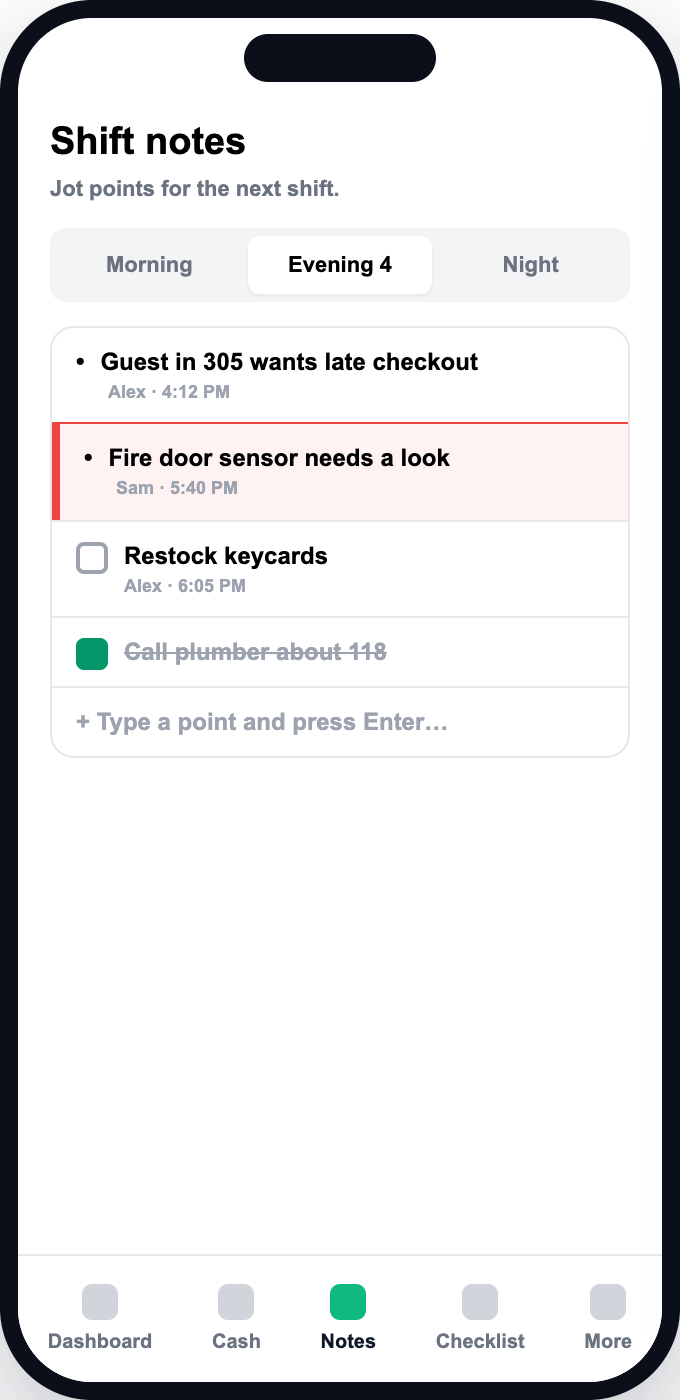
- Shift notes
- Daily checklists
- Missed-task tracking
- Weekly schedule
- Email copies
- Runs in the browser
- Phone, tablet or computer
- Nothing to download from a store
Everything a shift change needs, in one record
Replace the notebook, the group chat and the spreadsheet with one handover your whole team follows.
Cash drops, counted properly
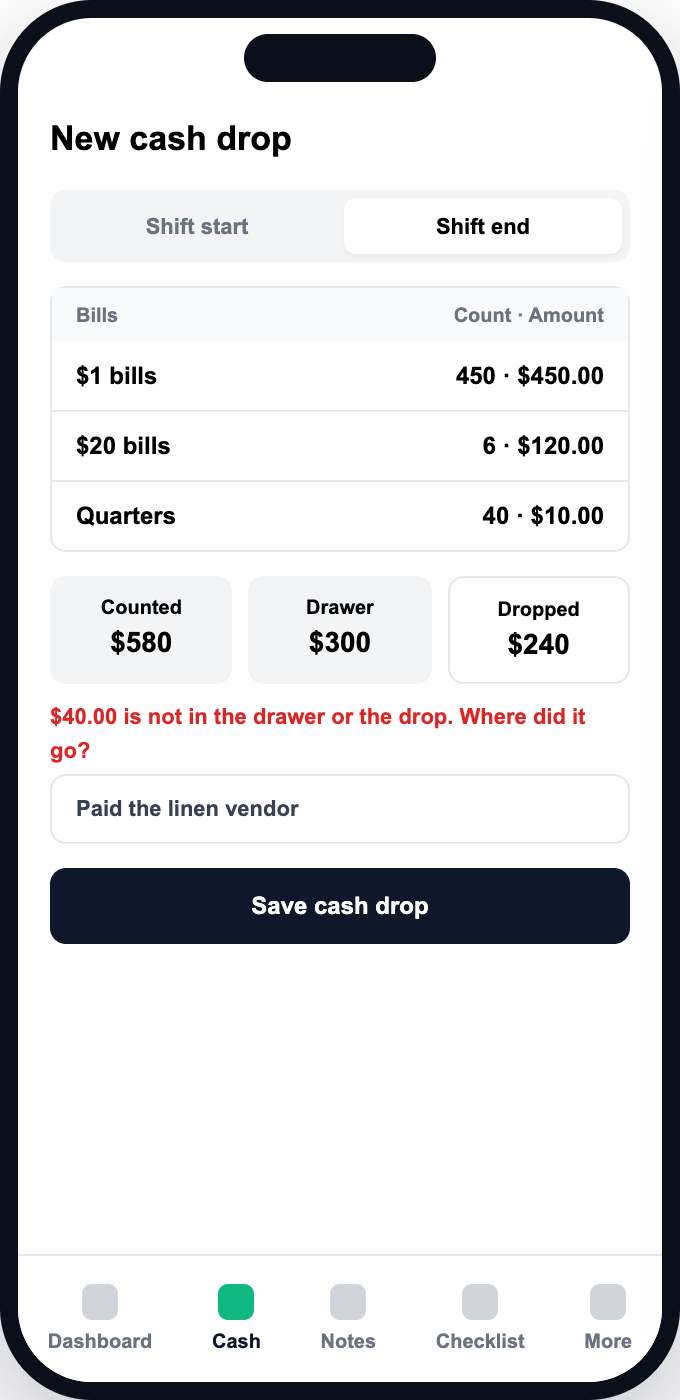
Count every coin and bill at shift start and end. Less dropped than expected? A reason is required. Counts are append-only, so a correction is a new record and the trail stays intact.
- Counted by denomination
- A reason is required for a short drop
- Corrections never overwrite the original
One day, from first shift to nightly close
- 1
Set up your hotel
We set up your workspace with you. Your admin creates the roles, users and the checklist for each shift.
- 2
Open a shift
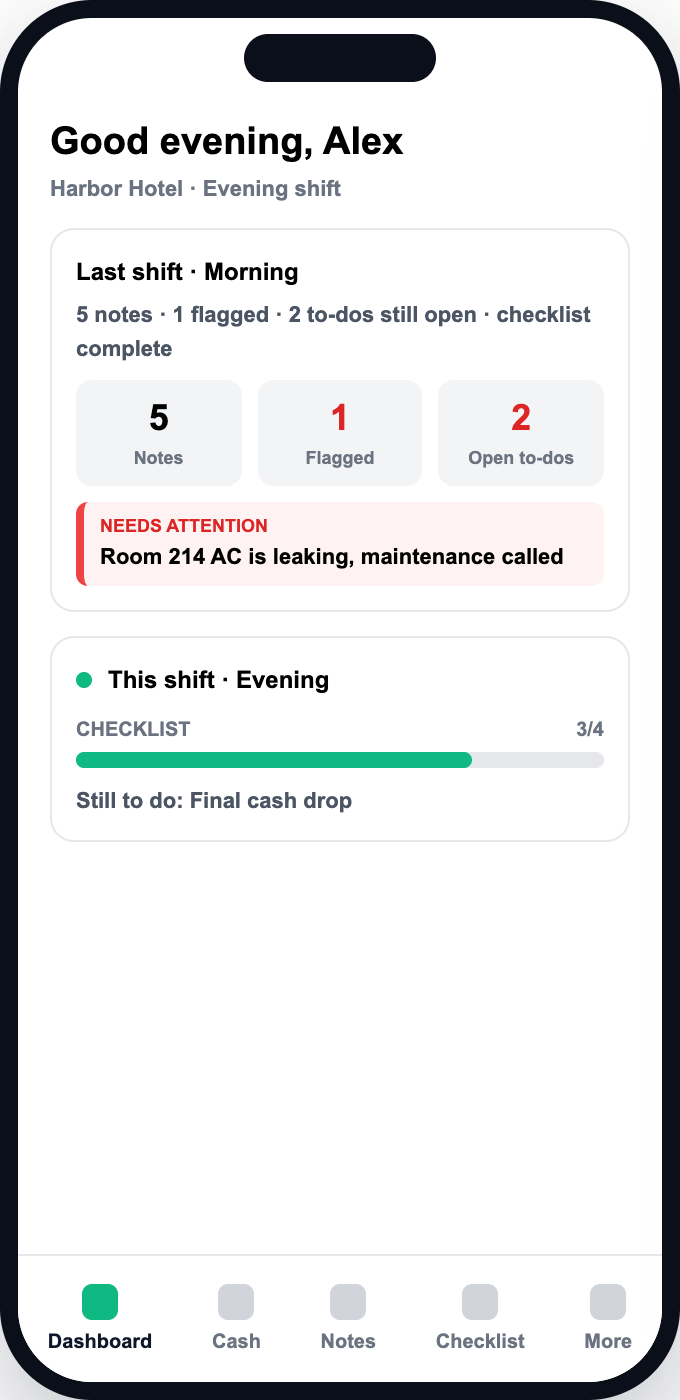
Each shift opens with a summary of the one before: its notes, what carried over and its cash drops.
- 3
Work the shift
Staff tick duties off the checklist, add notes as they go and flag anything a manager must see.
- 4
Hand over
Record the cash drop by denomination, with a reason for any shortfall, and leave the notes for the next shift.
- 5
Close the day
A nightly job closes the day in your hotel's timezone and records every unticked task as missed.
- 6
Review
Managers check the Missed and Performance tabs. What each person can see is set by the permissions on their role.
Six tools, one login
Each one covers a part of the shift change that usually lives on paper or in someone’s head.
Cash drops
Count every coin and bill at shift start and end. Short drops require a reason.
Shift notes
Type a point, press Enter. Flag what a manager must see. Open to-dos carry over.
Daily checklists
Admins design the duties per shift. Staff tick them off every day.
Missed-task tracking
A nightly job records what was not done, so nobody has to chase it.
Weekly schedule
Plan shifts, mark days off, copy a week forward, export to CSV.
Email copies
Send each cash drop to up to five saved addresses with a CSV attached.
Declared. Verified. Never overwritten.
Mismatches surface when the shift changes, not days later when nobody remembers what happened.
- 01
Declare
The outgoing shift counts the drawer by denomination and declares the total.
- 02
Verify
The incoming shift or a manager counts again. The declaration is never overwritten.
- 03
Flag
Any mismatch is flagged on the spot, while the shift is still there to explain it.
Try a count
Sample shift end
- $20 bills20$400.00
- $5 bills24$120.00
- $1 bills50$50.00
- Quarters40$10.00
- Counted
- $580.00
- Stays in drawer
- $300.00
- Dropped
- $240.00
$40.00 is not in the drawer or the drop. Where did it go?
Three ways in
Set up your property
Create your account, add your roles and users, and build the checklist for each shift.
Sign upSee it with your own shifts
Tell us about your hotel and we will walk you through a handover. We reply within one business day.
Book a demoPut it on every device
It runs in the browser. Add it to the home screen and it opens like an app.
Install the appCommon questions
Quick answers about how Shift Handover works.
Run your next handover on Shift Handover
We are in beta, so it is free for everyone for now. Create your account and set up your property, or talk to us first.